If your Organization has enabled 'Restricted Project Access' you can control access on each project, if you are
- Project Lead of the specific project or
- Superuser in the organization.
How to change permissions
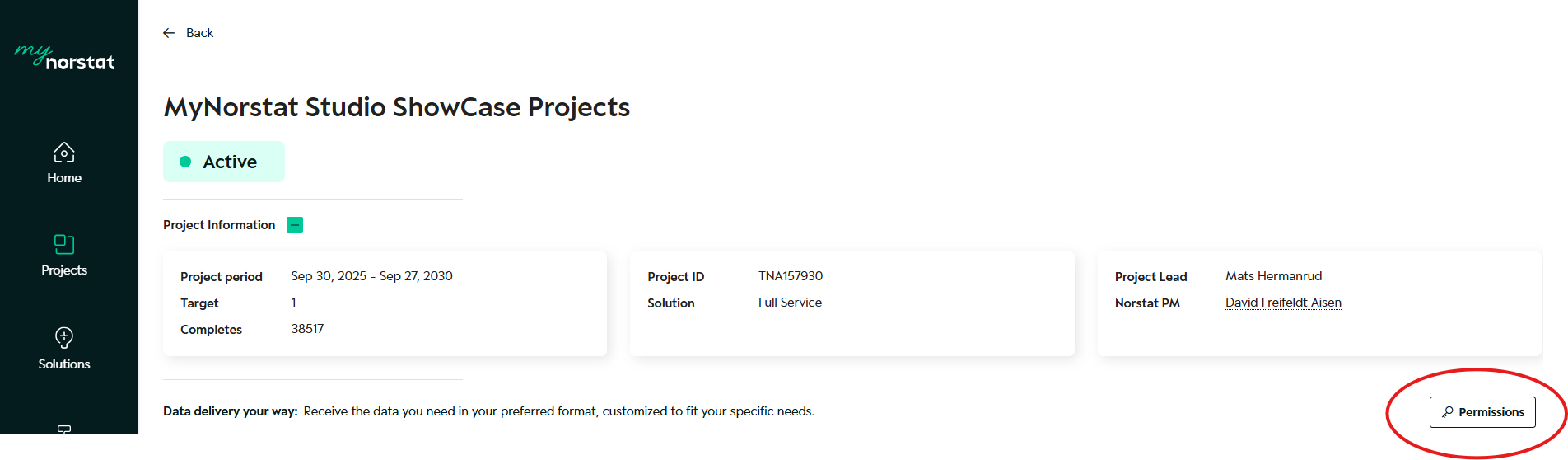
Step 1: Access your Project and go to the Permissions
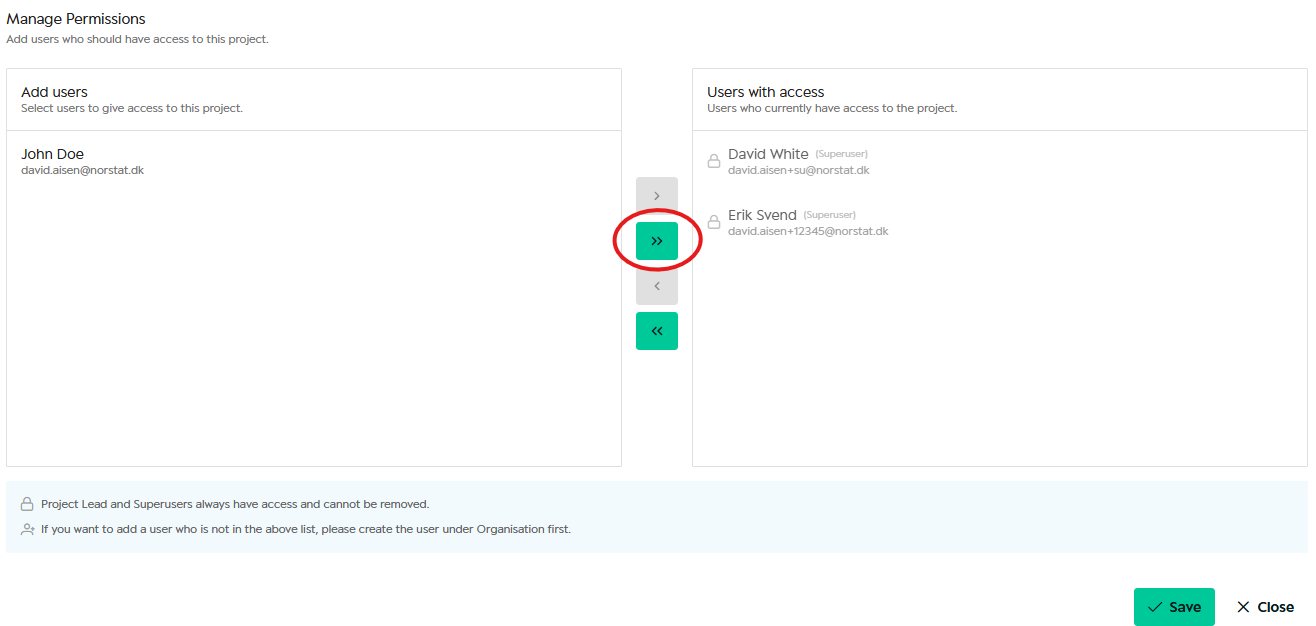
Step 2: Add the user
Was this article helpful?
That’s Great!
Thank you for your feedback
Sorry! We couldn't be helpful
Thank you for your feedback
Feedback sent
We appreciate your effort and will try to fix the article