Summariser
This guide is covering Summariser and how to use it.
In this article
- About Summariser
- Aggregated Data and Open ends
- Prompts
- Summary
- Insights
- Open ends
About Summariser
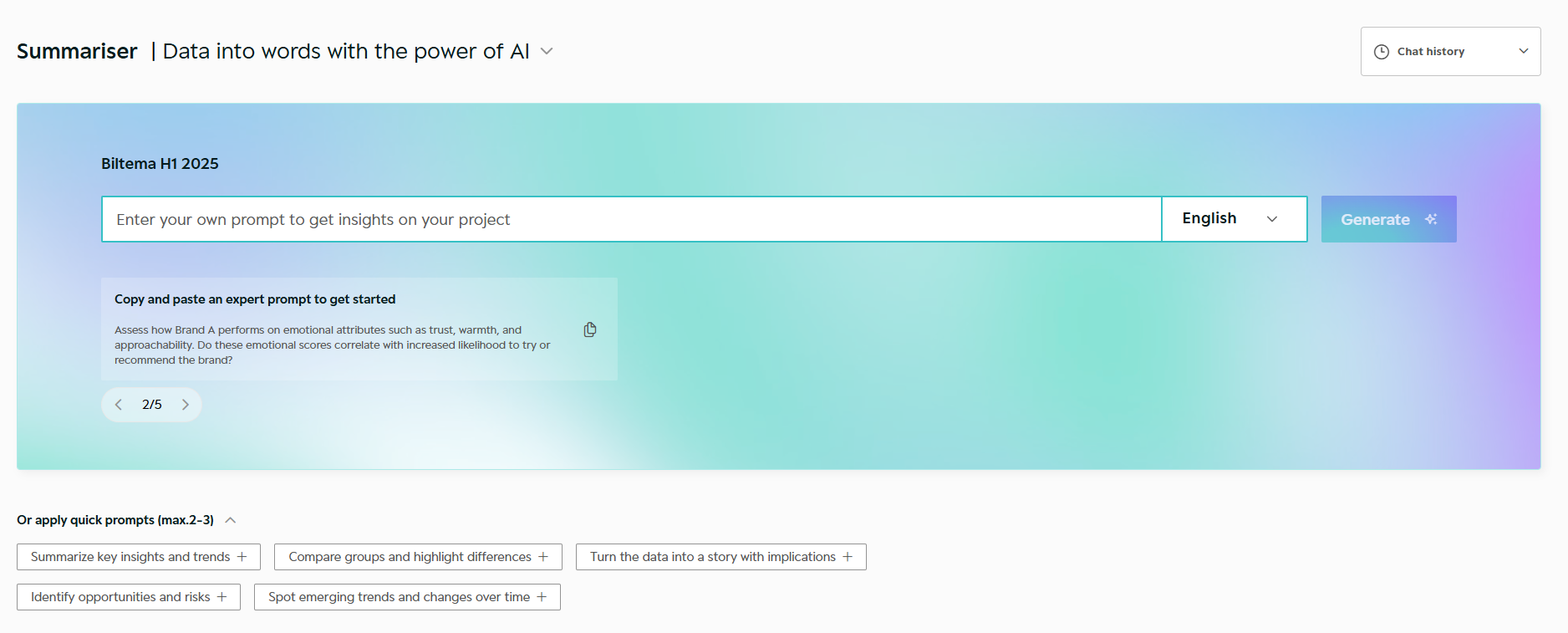
Summariser uses AI to turn your dataset into clear, written insights.
It helps you quickly understand key findings, compare groups, and identify patterns across your data.
You work with prompts to generate summaries, question-level insights, and verbatim analysis.
Summariser respects the Headers and Filters you define in Tables and can reuse insights directly in Tables and Slides
Aggregated data and Open ends
Summariser works across two modes, available from the top right of the Summariser view.
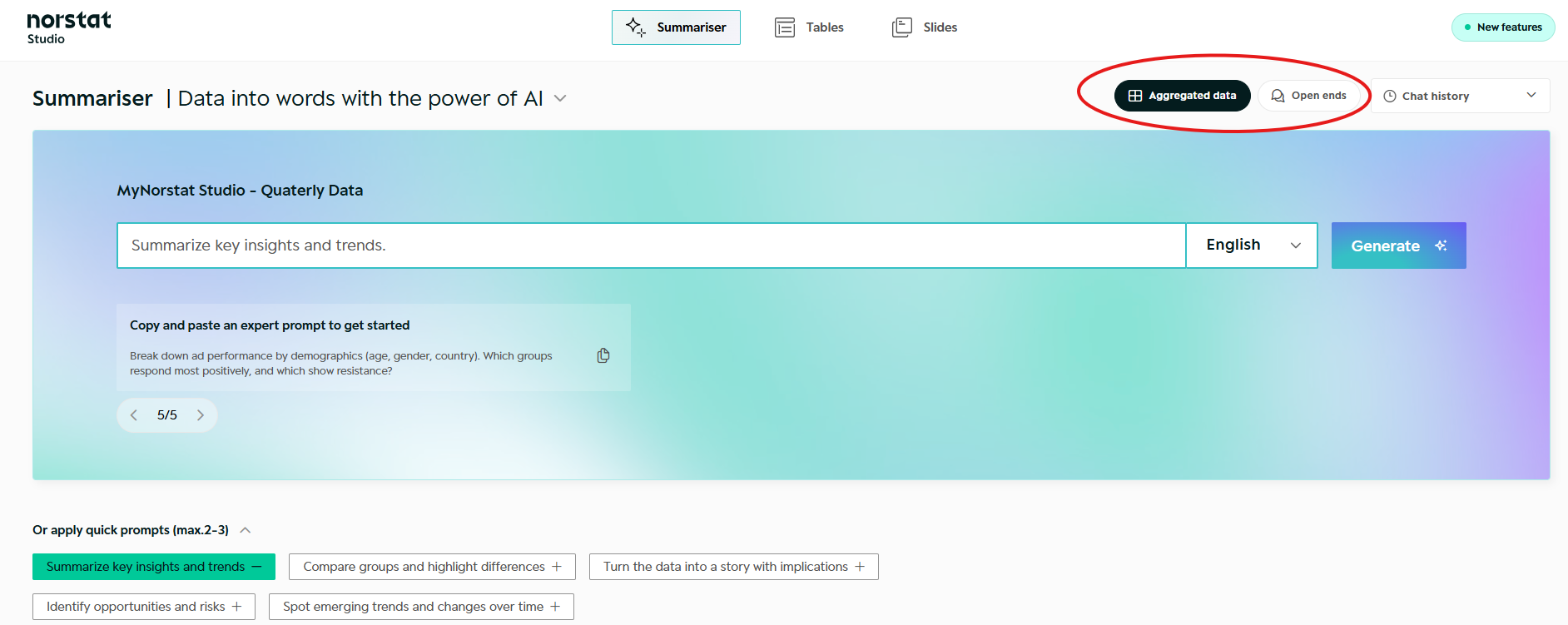
- Aggregated data - Ask Summariser anything about your structured data and get summaries and insights, broken down by question.
- Open ends - Ask Summariser anything about your open-ended answers and get themes, sentiment, segment comparisons, and a word cloud, with quotes to back it up.
1. Prompt
Start by writing a prompt - either create your own, or get inspired by using one Norstat's predefined prompts.
You can write in any language. Make sure to choose, which language you would like to receive the insights in.
Default output language is English.
You can at any time create a new prompt, to generate new insights. Previous prompts and results are saved in 'Chat history'.
If you make changes to your Headers in Tables settings, you must re-run your prompt, in order to use Summariser insights in Tables or Slides.
2. Summary
Summariser will give you a thorough Executive Summary of your dataset, based on your prompt.
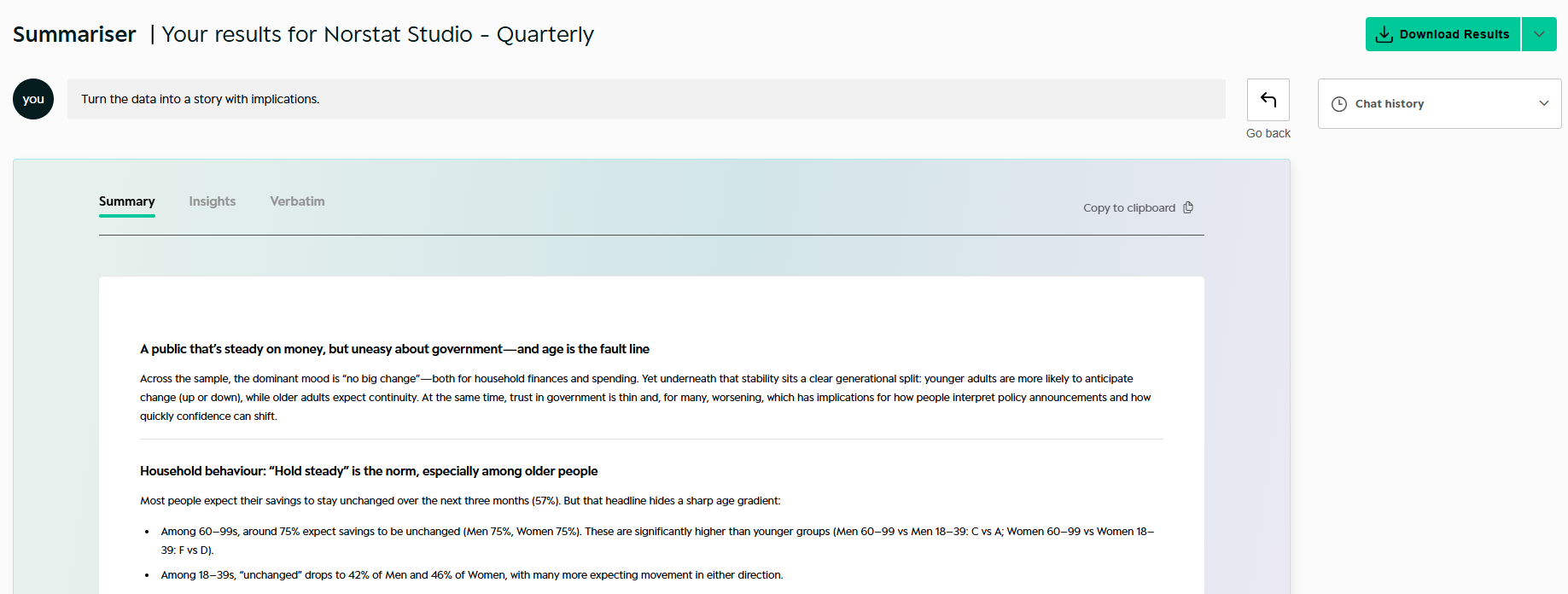
Summariser will use your Headers & Filters you are creating in Tables, when generating insights on your dataset.
3. Insights
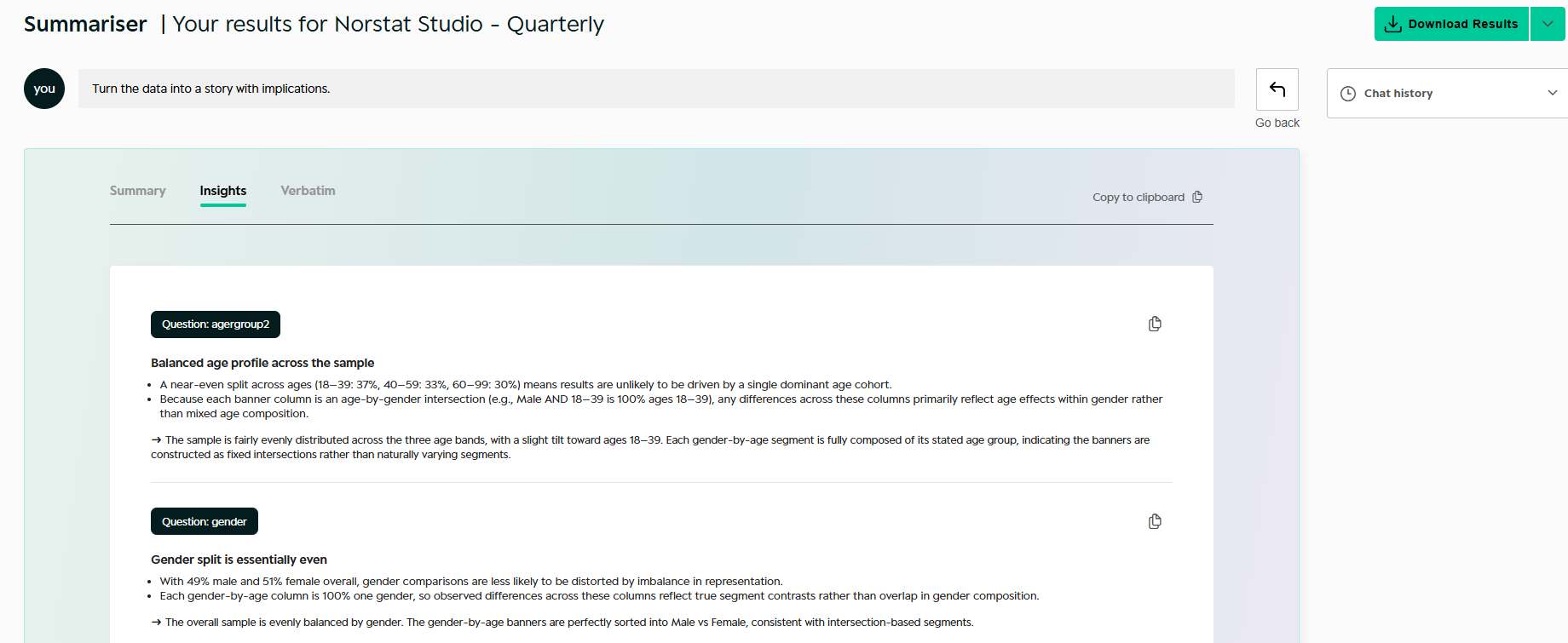
These are AI Insights broken down per questions. It will also take into account, if you have made any Headers or other Tables settings.
4. Open ends
Summariser turns your open-ended questions into structured, actionable analysis. Ask any question about your open-ended answers and Summariser organises them automatically.
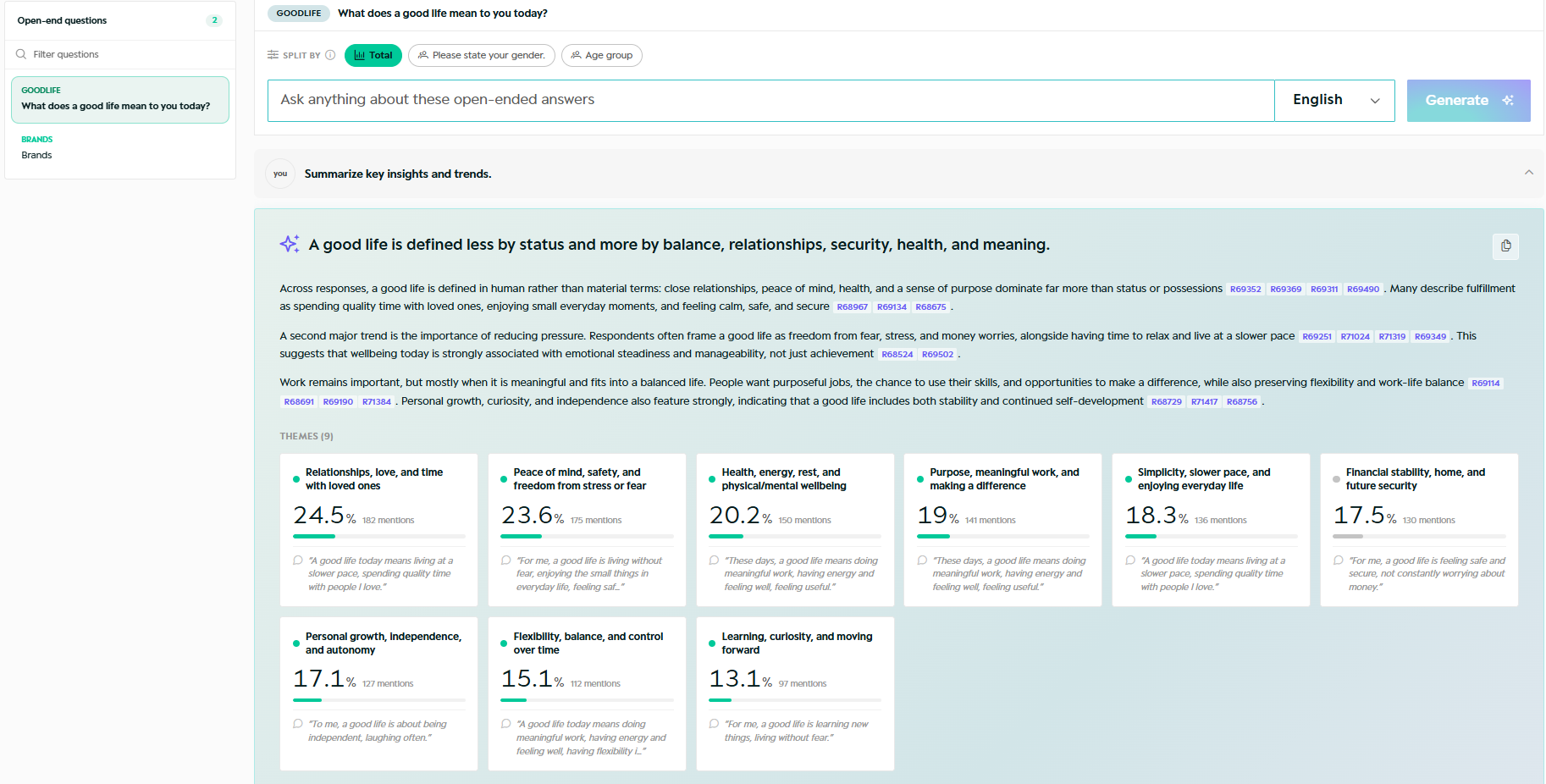
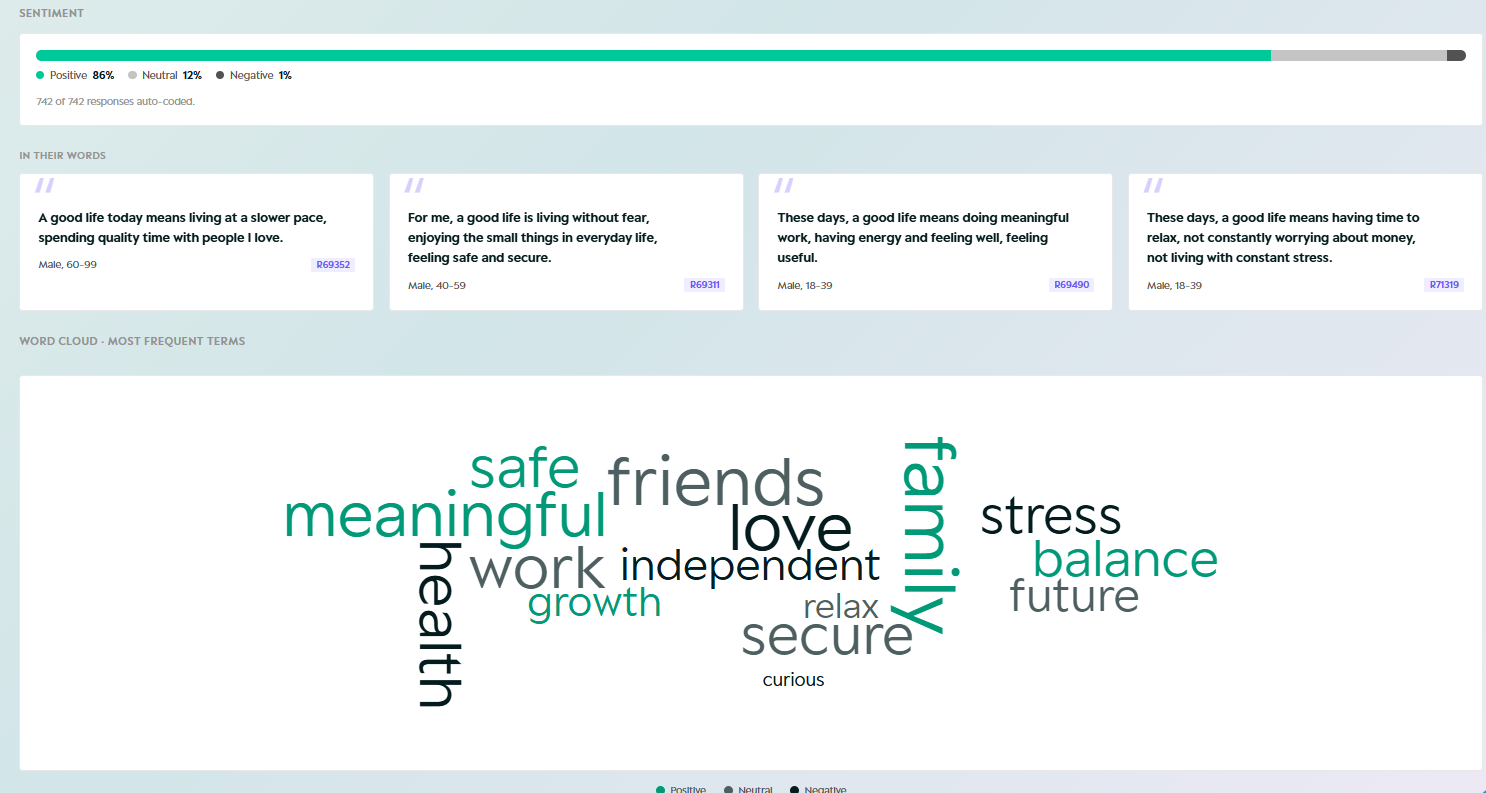
For each open-ended question, Summariser generates:
- Themes - Answers are automatically categorised into themes, each with a percentage share and mention count.
- Sentiment - Answers are coded as Positive, Neutral or Negative, with an overall sentiment bar across all responses.
- Segment comparison - Results broken down by your active headers, so you can compare themes and sentiment across groups.
- In their words - Representative verbatim quotes selected to illustrate key themes.
- Wordcloud - A visual overview of the most frequently used terms across all answers.
You can split results by any breakdown you have defined in Tables. Results from Open ends are also visible in Slides and export to PowerPoint.
Was this article helpful?
That’s Great!
Thank you for your feedback
Sorry! We couldn't be helpful
Thank you for your feedback
Feedback sent
We appreciate your effort and will try to fix the article